Easy data first
Skips rough patches, then comes back for them.
Recover photos, RAW files and videos from corrupted, erased or unreadable SD cards. Read-only, so your card stays safe.
Free to scan · Version 1.0 · macOS 14 or later
How it works
No settings. No jargon.
SD slot or any card reader. Works even when Finder can’t see it.
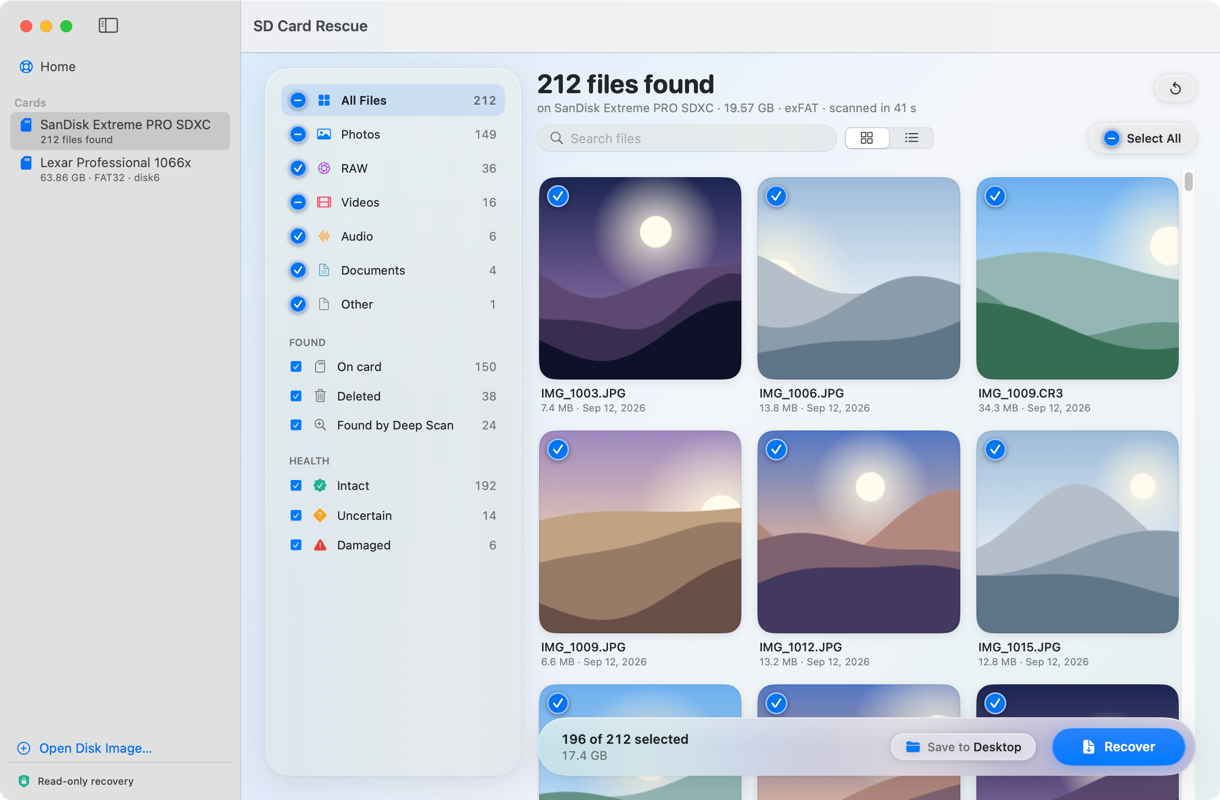
Browse every photo and video it finds. Free.
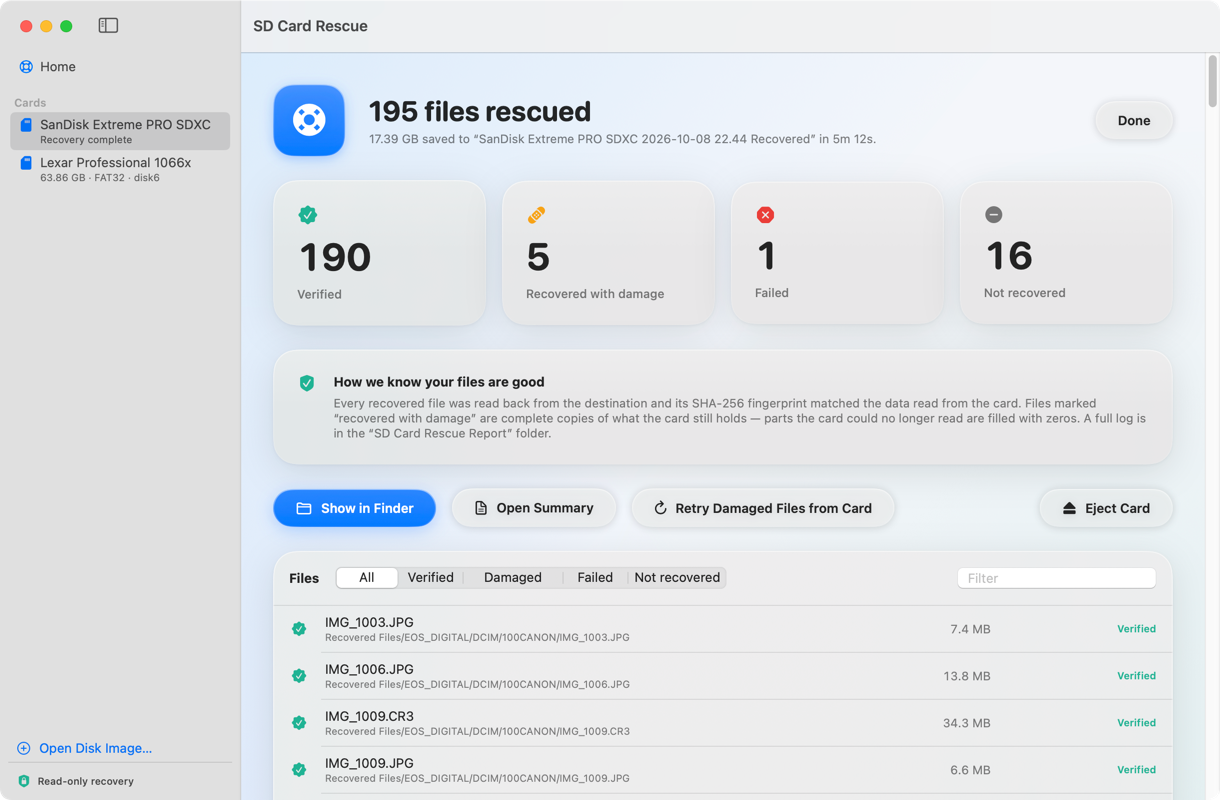
Save to another drive. Every file is checked against the card.
Safe mode
Failing cards get worse with every read. Safe mode copies the card once, then works from the copy.
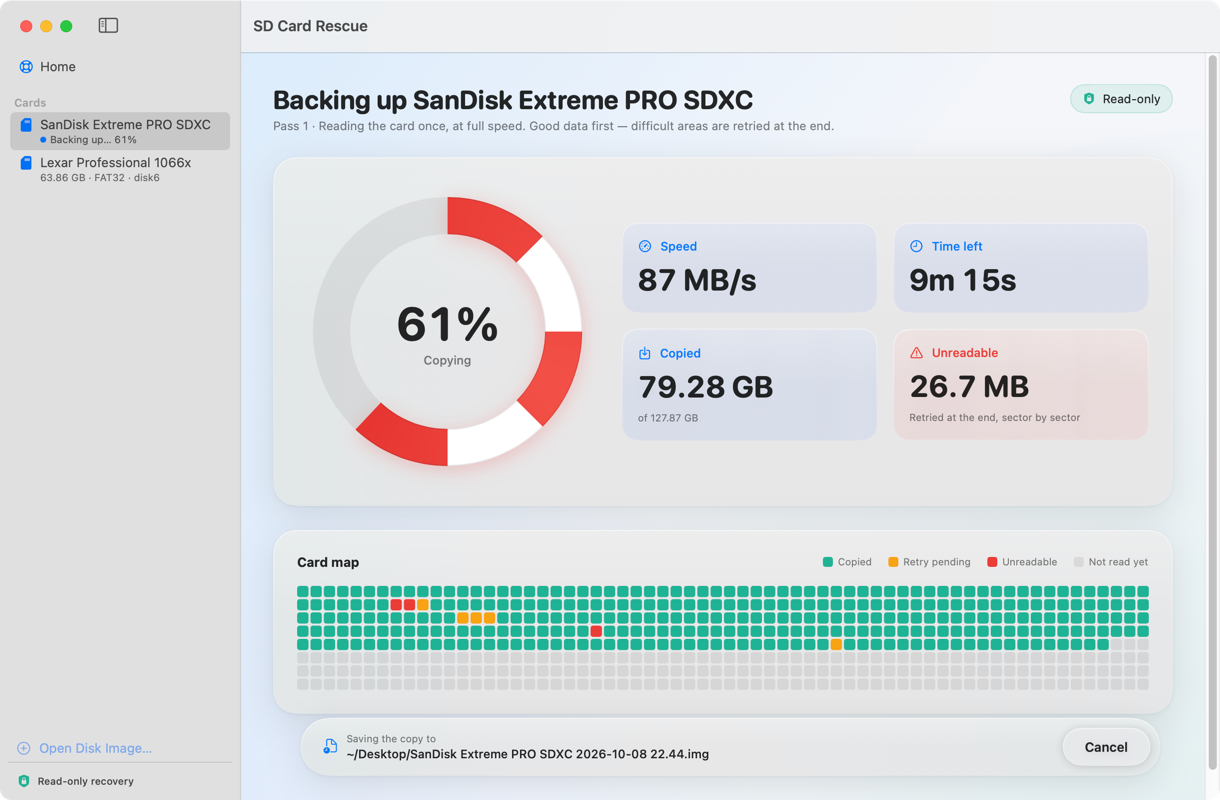
Skips rough patches, then comes back for them.
See every region as it’s copied, with speed and time left.
Card in good shape? Scan it directly, no backup needed.
Deep Scan
Brings back deleted files and finds photos and videos by their content, even when your Mac won’t mount the card.
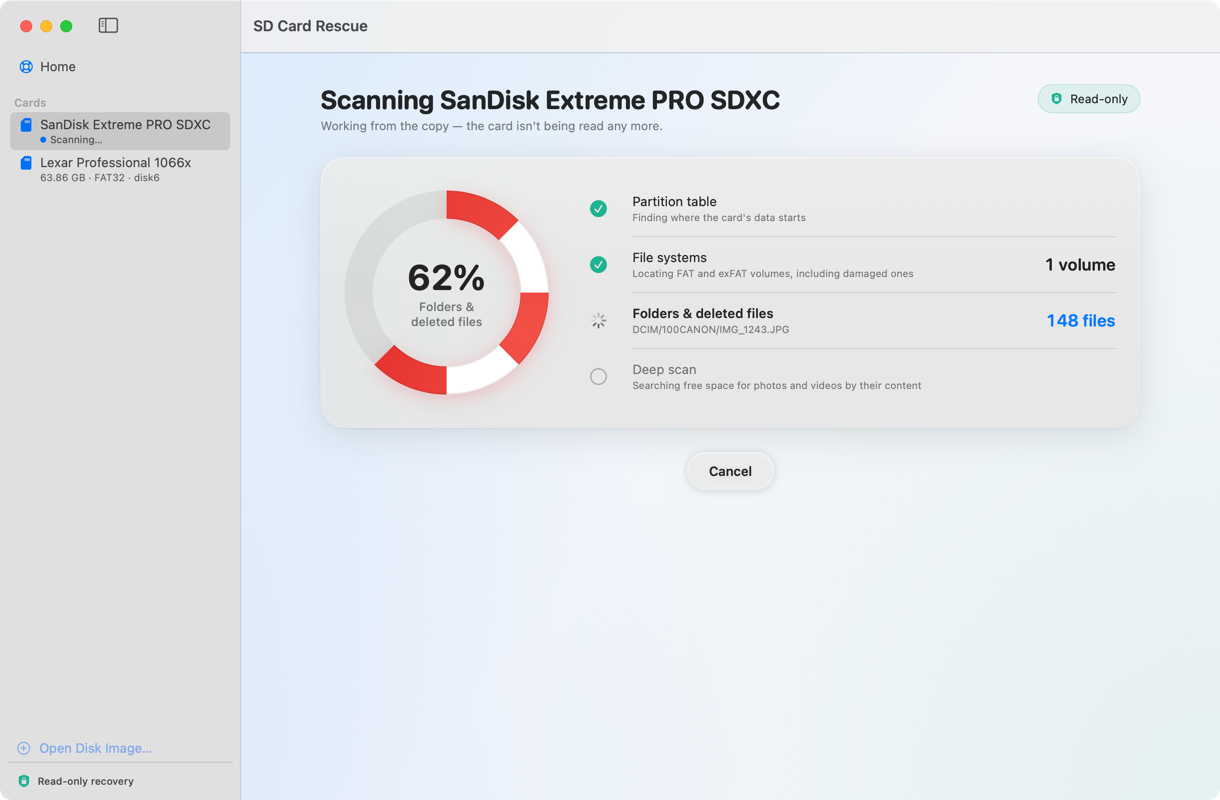
Damaged partition table or boot sector? It reads right past them.
Erased shots show up next to everything else.
Deep Scan finds files from the data itself. No folders needed.
Preview
Real thumbnails for everything it finds. Filter, then pick what to save.
Scanning and previewing are free.
Verified
Each recovered file is read back and checked against the card. No guessing.
Card Health
Tests the card and gives you a straight answer.
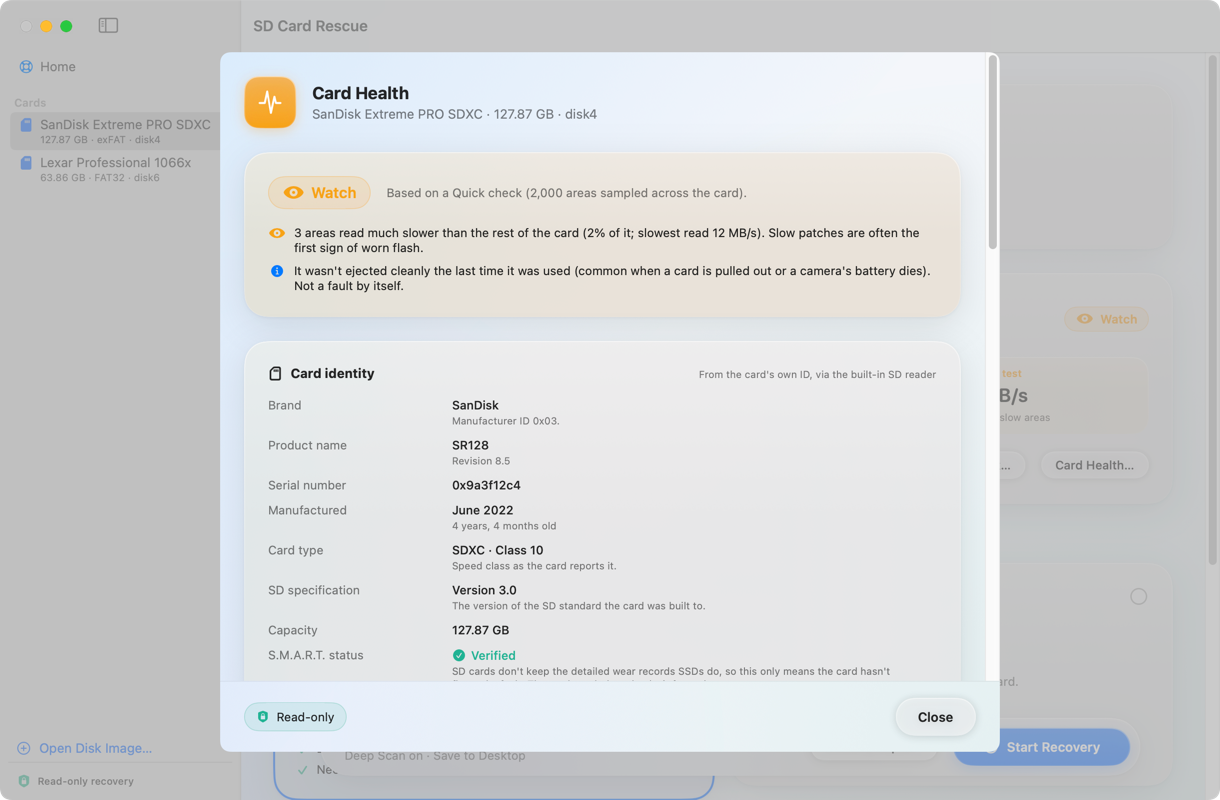
Maker, model, serial, age and speed class.
Finds slow or unreadable areas, an early sign of wear.
Flags file system trouble.
Estimates when it was last formatted.
Honest about the limits. SD cards don’t record how many times they’ve been formatted, so Card Health won’t pretend to know.
Safety
Every scan, backup and recovery only reads from your card.
Files are saved elsewhere. The card stays as you found it.
A fragile card is read once, then left alone.
Every file is verified with SHA-256.
Formats
The formats photographers and filmmakers actually shoot.
Pricing
See what it can recover before you spend anything.
$0
Find out what’s still there.
Launch price
$49$39one-time
Bring everything home, verified.
No subscription. Pay once.
The rescue promise. Can’t recover your files? Full refund.
A note from the maker
I’m a photographer and videographer. When two of my own cards stopped mounting, I built the tool I wished I’d had. It got those files back. I hope it does the same for you.
FAQ
Often, yes. It reads the card directly, so a damaged partition table or boot sector won’t stop it. Deep Scan finds photos and videos even when the file system is wrecked.
No. It only reads the card, and recovered files are saved somewhere else. The optional Check & Repair tool is the only thing that changes a card, and only when you run it.
Every file is checked and marked Verified, Recovered with damage, or Failed. You can retry damaged files from the card.
Scan your card and preview everything it finds. Recovery is a one-time $39 (launch price, normally $49).
Yes, for the recovered files. Safe mode also needs room for a backup image about the size of the card. Quick mode doesn’t.
SD cards don’t keep count, so no app can know. Card Health estimates when it was last formatted and rates the card Good, Watch or Replace soon.
No. Everything stays on your Mac.
It’s built for SD cards, but also works with USB sticks and external drives formatted exFAT or FAT32. Mac (APFS) and Windows (NTFS) drives aren’t supported yet. SSDs erase deleted files quickly, so those usually can’t be recovered by any app.
Any Mac with macOS 14 Sonoma or later.
Still wondering? Email us.
More apps
See what’s still on your card for free.
Free to scan · macOS 14 or later